People search for "spy program for a computer" for different reasons: some want to keep an eye on a child, others to understand what is happening on a work PC. But a "spy" is about secretly installing something on someone else's device, and that is risky both legally and on a human level. Let's look at how real surveillance differs from legal monitoring and how to solve the task without risk.
- A "spy program" implies secret installation on someone else's device, and that is illegal.
- Legal monitoring is on your own PC, a child's device or a company computer with notification.
- In terms of features, legal programs give the same: screenshots, an app and site history, time tracking.
- The difference is legality and transparency, not capabilities.
What a spy program is
A "spy" program usually means software secretly installed on someone else's computer to covertly collect data. This can violate privacy law, and dubious programs from the internet often turn out to be viruses themselves, stealing the data of whoever installed them.
How legal monitoring differs from surveillance
Functionally, a legal monitoring program can do the same: take screenshots, keep a history of programs and sites, track activity time. The difference is in three things:
- Whose device it is. Your own, your child's or a company one, allowed; someone else's personal device, no.
- Consent/notification. Employees are notified about monitoring; in a family people agree on it.
- Transparency of the product. A clear provider, a personal dashboard, a data policy, not a nameless "spy".
When computer monitoring is legal
- Parental oversight of your own minor child's PC.
- Monitoring a company's work computers with employees notified.
- Observing your own device (for example, to understand who is using it).
A safe alternative to a "spy"
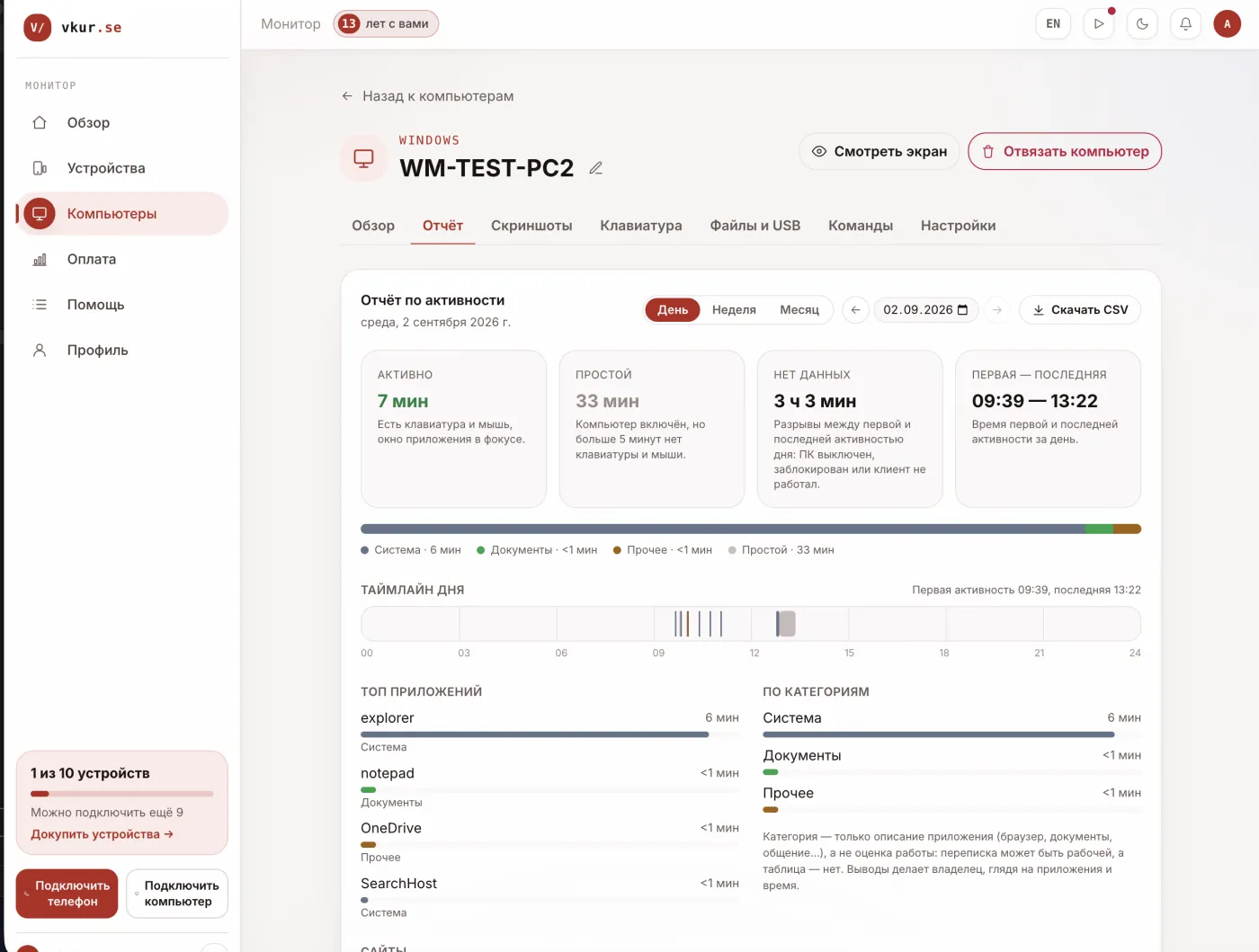
Instead of looking for dubious software, use a transparent solution. VkurSe for Windows gives you in the personal dashboard screen screenshots by day, an app and site history, typed text, activity and idle periods. Everything is legal: it is installed on your own devices, employees are notified, and the data goes to your dashboard, not to third parties.
How to get started
- Create a dashboard and open the "Computers" section.
- Click "Connect a computer", get a code.
- Install the program and enter the code, the data will appear in the dashboard.
Frequently asked questions
Can I secretly install a program on someone else's computer?
No. Secret installation on someone else's personal device is illegal. Monitoring is possible on your own devices, a child's device or a work PC with notification.
Are free "spies" from the internet safe?
Often no: viruses are spread under the guise of a spy. Use products with a name, support and a clear data policy.
Conclusion
A "spy program" is a bad idea both legally and for security. The same task is solved by legal monitoring on your own devices: screenshots, an activity history and time tracking in a transparent dashboard, for example VkurSe for Windows.
VkurSe for Windows
Screenshots, apps, websites and computer activity in one dashboard. Phones and PCs together. First day free.
Try it freeCreate your dashboard — the Windows installer will be in the “Computers” section